 International
  Bahrain
  Cambodia
  China
China  Hong Kong
  India
India  Indonesia
  Ireland
  Italy
Italy  Japan
Japan  Malaysia
  New Zealand
  Philippines
  Singapore
  South Africa
  Taiwan
  Thailand
  United Arab Emirates
  United Kingdom
  United States
  Vietnam
  Document Management
  Digital Solutions
  Document Destruction
  E-waste & IT asset disposal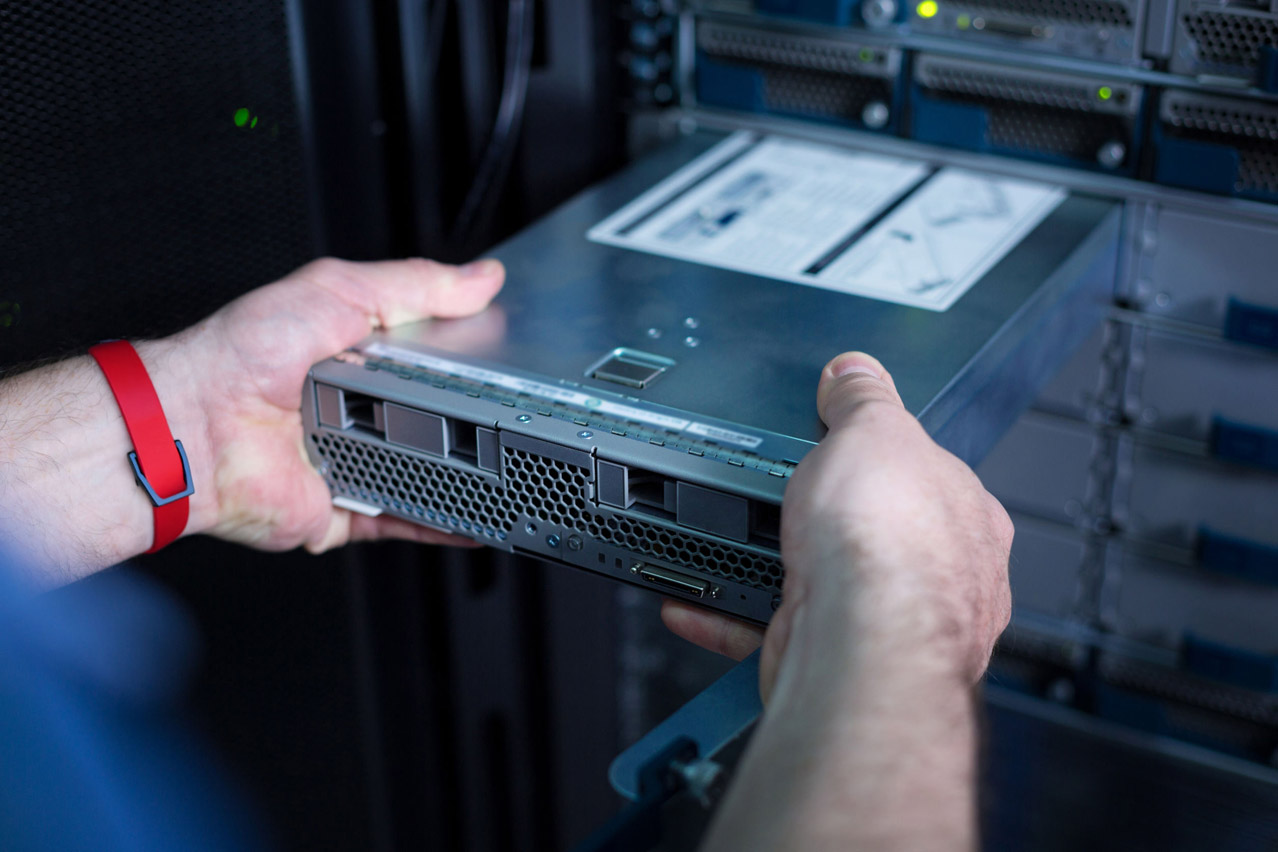
Old office devices have a strange talent for multiplying.
One laptop becomes five. A few hard drives become a drawer of mystery. Old phones sit in a box. Monitors are pushed into a corner. A server remains untouched because nobody wants to be the person who asks what is inside it.
For businesses, this is more than an office housekeeping issue. Old IT assets may still contain sensitive information, even after they are no longer used.
Before any device leaves your office, your company should know what is being disposed of, what data may still be inside, who is handling it and what proof you will receive after disposal.
Use this checklist to plan a safer corporate device disposal process.
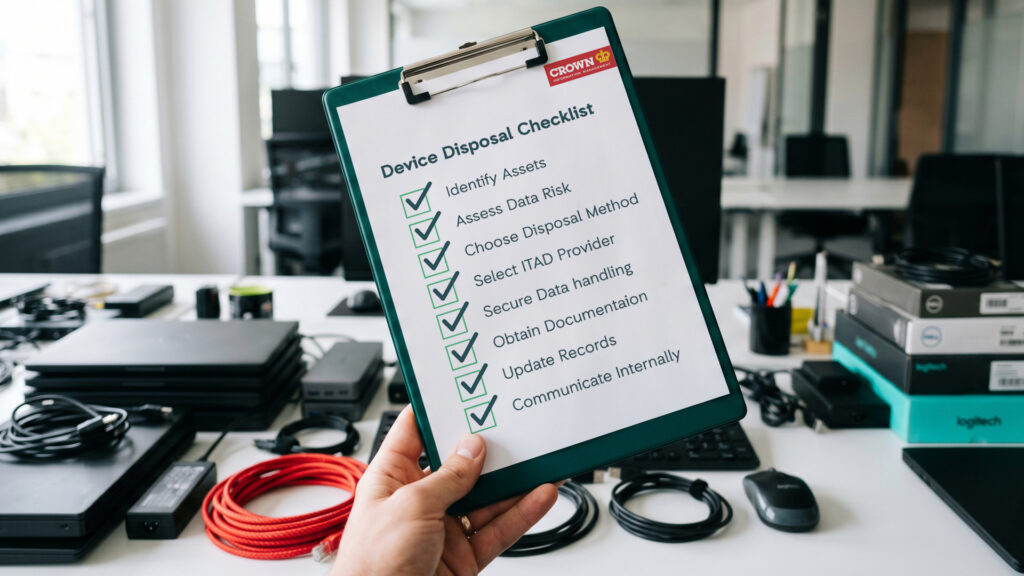
1. Create a List of Devices for Disposal
Start by identifying the devices that need to be cleared. This may include:
- Desktop computers
- Laptops and notebooks
- Hard drives and SSDs
- Mobile phones and tablets
- Servers and storage devices
- Monitors
- Printers, scanners and fax machines
- Network devices, routers and firewalls
- CCTV or camera equipment
- Docking stations and other IT accessories
A simple spreadsheet is enough to begin. Include the device type, quantity, department, location and asset tag number where available.
This helps prevent devices from being misplaced or removed without proper tracking.
2. Separate Data-Bearing Devices from General E-Waste
Not every electronic item carries the same level of risk.
A monitor may be an e-waste concern. A laptop, hard drive, server or mobile phone may be both an e-waste concern and a data security concern. Data-bearing devices should be handled with extra care because they may contain:
- Customer information
- Employee records
- Financial data
- Contracts and business documents
- Emails and message history
- Login credentials
- Company files and internal reports
Do not mix these devices casually with general office waste. They should go through a proper ITAD process.
3. Check Whether the Device Can Be Reused
Before disposal, decide whether each device should be reused, redeployed, recycled or destroyed.
Some devices may still have value. If the business intends to reuse them, secure data erasure may be suitable. This allows data to be removed while keeping the device physically intact.
Other devices may be too old, damaged or sensitive for reuse. In those cases, physical destruction may be the safer option.
The key question is simple: does the business still need the device to survive?
If the answer is no, destruction may provide a clearer end-of-life process.
4. Do Not Rely on Manual Deletion Alone
Deleting files, emptying the recycle bin or performing a basic reset should not be treated as proper corporate disposal.
These actions may remove visible access, but they may not provide the level of assurance needed for business data. This is especially important for organisations that manage confidential customer, employee, financial, legal or operational information.
Before devices leave the company, data should be erased or destroyed using a proper method. This helps reduce the risk of unauthorised access after the device leaves your office.
5. Decide on the Right Disposal Method
Once you know what devices you have, decide the right method for each group. Use this as a simple guide:
| Device Condition or Objective | Possible Direction |
| Device is still working and may be reused | Secure data erasure |
| Device is obsolete or damaged | Physical destruction |
| Storage media contains sensitive information | Degaussing or destruction |
| Device has no reuse value | Physical destruction |
| Company needs proof for records | Use a provider that issues disposal documentation |
For many corporate disposal projects, there may be a mix of methods. Some devices may be erased, while others may be physically destroyed.
6. Choose a Proper ITAD Provider
Corporate device disposal should not be handed to just anyone. A proper ITAD provider should support secure handling, responsible disposal and clear documentation. This is especially important when the devices may contain business data.
When choosing a provider, ask these questions:
- Can they handle data-bearing devices securely?
- Do they provide data erasure, degaussing or destruction options?
- Can they support responsible e-waste disposal?
- Will they provide documentation after disposal?
- Do they understand corporate security and compliance concerns?
The goal is to avoid uncertainty. Your business should know what happens to the devices after collection.
7. Keep Records After Disposal
Once the devices are disposed of, update your internal records. This may include:
- Asset register
- IT inventory list
- Finance records
- Compliance documentation
- Disposal certificates
- Internal approval records
Good record keeping protects the business later. It also helps IT, finance, admin and compliance teams stay aligned.
A certificate or disposal record can support audit requirements and show that the company took reasonable steps to manage old IT assets properly.
8. Communicate the Process Internally
Device disposal often involves several teams. IT may own the data risk. Finance may own the asset list. Admin or facilities may manage the collection. Compliance may need disposal records.
Before disposal begins, make sure everyone knows the process. For example:
- Which devices are approved for disposal?
- Who is responsible for preparing the list?
- Where should devices be placed before collection?
- Who will approve the disposal?
- Where will the disposal certificate be stored?
A clear process prevents confusion and reduces the chance of devices being removed without control.
9. Avoid Letting Old Devices Pile Up Again
After clearing old devices, set a simple disposal schedule. This could be quarterly, twice a year or whenever there is a major hardware refresh. The frequency depends on your company size, device volume and internal policy.
Regular disposal helps prevent storerooms from turning into retirement villages for laptops that have served enough and deserve a dignified exit. More importantly, it reduces the number of unmanaged devices sitting inside the office.
10. Use Device Destruction for Unwanted Office IT Equipment
If your company has a small batch of unwanted office devices, Crown’s Device Destruction package provides a simple way to arrange secure and responsible disposal. The package is available within Klang Valley and supports common office IT equipment such as:
- Computers
- Laptops
- Phones
- Monitors
- Servers
- Network devices
- Data storage devices
- Hard disks
- Printers and scanners
- CCTV or camera equipment
An Official Certificate of Disposal will be issued within 30 days.
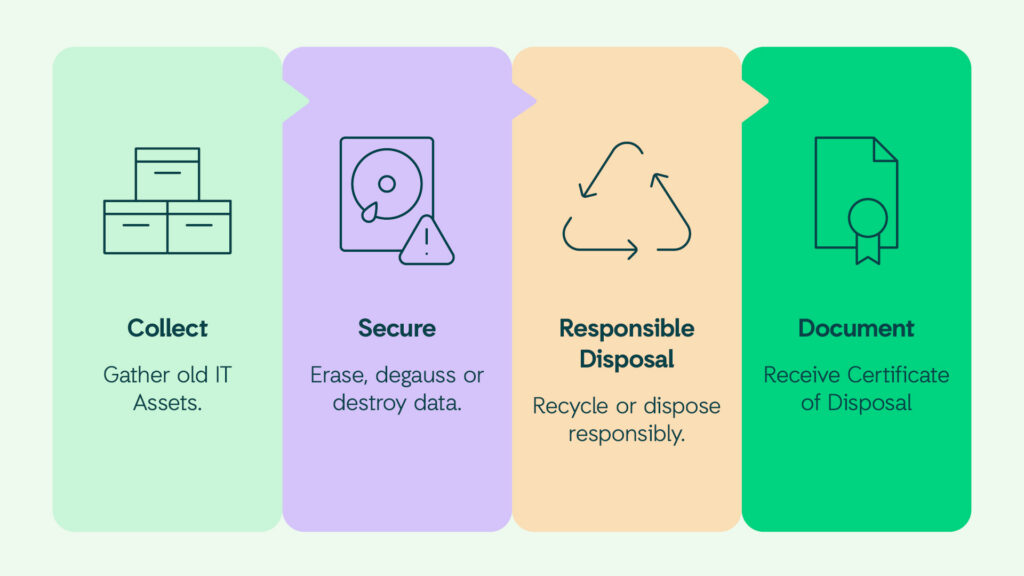
Corporate device disposal should be handled with the same care as other information management processes.
Old devices may look useless, but they may still contain sensitive business data. A structured disposal process helps your company protect information, maintain records, reduce clutter and manage e-waste more responsibly.
The safest time to deal with old IT assets is before they become a problem.
Ready to Dispose of Old IT Assets Securely?
Old laptops, hard drives, phones, servers and other office devices may still contain confidential business information. Crown helps organisations manage end-of-life IT equipment through secure data erasure, degaussing, physical destruction and responsible e-waste disposal.